If you’ve ever walked into a store, restaurant, or café, you’ve likely encountered a machine that handles payments. This machine is known as a POS terminal, but you might also hear the term POS system. While the two are closely related, they’re not exactly the same. So, what’s the difference between a POS system and a POS terminal?
This article will explain the key differences between the two, break down their functionalities, and explore why businesses use both. By the end, you’ll know which option is better for your business needs.
What is a POS System?
A POS system (Point of Sale system) refers to the full setup that a business uses to conduct sales, track inventory, manage customers, and generate reports. It combines both hardware and software designed to make transactions and business management more efficient.
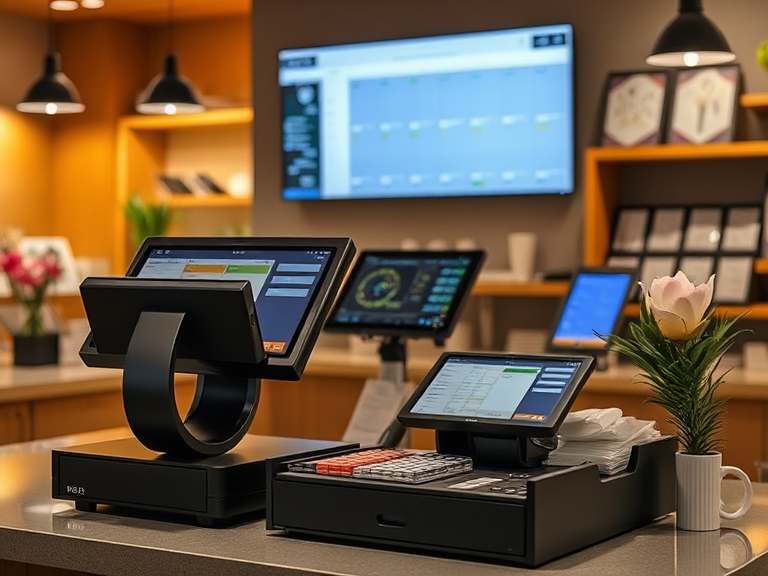
In terms of hardware, a POS system can include:
- POS terminal (used to process payments)
- Touchscreen monitors (for easy product selection)
- Barcode scanners (for quick product lookup and checkout)
- Receipt printers (to provide proof of purchase)
- Cash drawers (for storing money)
On the software side, the POS system allows businesses to:
- Track sales and transactions in real time
- Manage inventory by updating product stock as it sells
- Store customer data, including purchasing behavior
- Generate reports on sales trends, profits, and losses
- Handle employee management by tracking hours worked and sales performance
In essence, a POS system is a comprehensive solution for managing a business, making it a must-have for retailers, restaurants, salons, and other businesses that rely on regular sales transactions.
What is a POS Terminal?
A POS terminal, also known as a point of sale terminal, is a physical device that is used to process payment transactions. It’s the piece of equipment where customers typically swipe or insert their credit/debit cards to complete a purchase. In today’s world, POS terminals also accept contactless payments like Apple Pay, Google Pay, and other digital wallets.
The POS terminal connects with the POS system to facilitate transactions, but it doesn’t handle everything the system does. Essentially, the POS terminal is the payment processor, whereas the POS system manages other aspects of the sale, such as inventory, customer data, and reports.
Modern POS terminals come with advanced features, such as:
- Card reader: For reading magnetic stripe or chip cards.
- Mobile payment support: For contactless payments like NFC-enabled devices (smartphones, smartwatches).
- Receipt printer: To print a receipt for the customer.
- Barcode scanner: To scan products for faster checkout.
- Touchscreen interface: In some cases, the terminal doubles as an interface to interact with the system for basic functions.
POS System vs POS Terminal: What’s the Difference?
While the terms POS system and POS terminal are often used interchangeably, they serve different purposes. Let’s look at a quick comparison:
- POS System: This is the complete setup that helps a business run smoothly. It includes hardware (like a computer, barcode scanner, cash drawer) and software that manages sales, inventory, customer data, employee records, and financial reporting.
- POS Terminal: This is a part of the POS system. The POS terminal is primarily responsible for accepting payments, whether through cards, mobile payments, or cash. It’s the hardware through which the actual transaction is processed.
The POS system is the brains behind the operation. It manages everything beyond the payment, such as tracking inventory, managing customer relationships, and generating reports. The POS terminal, however, is just the part that processes payments and prints receipts.
So, the main difference is in the scope. The POS system covers a wide range of functions for business management, while the POS terminal focuses on payment processing.
POS System vs POS Terminal: Functionality
Let’s explore the functions of both the POS system and POS terminal in more detail:
POS System Features:
- Sales Tracking: The POS system tracks every sale made. It records product details, the date of sale, price, and tax applied. This makes it easier to understand what’s selling well and what needs to be restocked.
- Inventory Management: A POS system can automatically update your inventory as items are sold. If you’re selling products like pet supplies, you’ll know when you need to reorder stock. This helps businesses avoid running out of popular products.
- Customer Data: Modern POS systems often include customer management tools, allowing you to collect and store customer details. You can track their purchase history, preferences, and even send follow-up emails or loyalty rewards.
- Reporting: Whether you need a daily sales report or an in-depth monthly breakdown, the POS system can generate various types of reports. These reports can give business owners a clear idea of how the business is performing and help with decision-making.
- Employee Management: Many POS systems include tools for tracking employee hours, sales performance, and commissions, making it easier to manage your team.
POS Terminal Features:
- Payment Processing: The POS terminal allows customers to pay for their items by swiping, inserting, or tapping their credit or debit cards. It also supports mobile payments like Apple Pay, Google Pay, and contactless options.
- Receipt Generation: After processing the payment, the POS terminal will print a receipt for the customer.
- Transaction Confirmation: Once the payment is processed, the POS terminal sends confirmation back to the POS system, updating the sales record and inventory.
While both have essential functions, the POS system covers a much broader range of activities, whereas the POS terminal specializes in handling payments.
Why Do Businesses Use Both POS Systems and POS Terminals?
You might be wondering, “Why can’t businesses just use POS terminals and skip the POS system?” The reason is simple: both tools are necessary for efficient operation.
A POS terminal is crucial for accepting payments, but without a POS system, a business would lack the ability to track inventory, manage customers, or generate sales reports. The POS terminal facilitates the transaction, but the POS system makes sure everything else runs smoothly in the background.
For example, when a customer buys an item, the POS system calculates the total sale, applies tax, and sends that information to the POS terminal. The POS terminal processes the payment, and once the payment is complete, the POS system updates the sales and inventory records.
Together, these tools provide a full solution for businesses looking to manage payments and their operations effectively.
How Does a POS Terminal Work Within a POS System?
A POS terminal is a component within the POS system that processes payment. Here’s a step-by-step breakdown of how the process typically works:
- Product Selection: The customer selects their items, and the POS system calculates the total cost, including tax and any discounts.
- Payment Process: The POS terminal comes into play when the customer is ready to pay. The cashier will swipe or insert the customer’s card or tap their phone to the terminal for a contactless payment.
- Transaction Confirmation: Once the POS terminal processes the payment, it communicates with the POS system to confirm that the transaction was successful.
- Updating Records: After payment confirmation, the POS system updates the sales record, adjusts inventory levels, and might even send a digital receipt to the customer.
- Receipt Generation: Finally, the POS terminal prints the customer’s receipt for their records.
While the POS terminal focuses on processing payments, the POS system ensures that all the other aspects of the transaction, like inventory updates and sales tracking, are handled seamlessly.
What is the Role of a POS System vs POS Terminal in Sales?
The POS system and POS terminal each play an important role in sales, but they function in different ways. The POS system manages the overall process, while the POS terminal handles the payment process.
- POS System: The POS system allows businesses to track each sale, including item details, taxes, customer data, and more. It’s an all-in-one tool that keeps everything organized, from managing products to employee data.
- POS Terminal: The POS terminal focuses solely on payment processing. After the customer has made their purchase, the terminal ensures that the payment goes through, and then the transaction is finalized.
Both components are essential for completing a sale in any business environment, especially in larger operations where managing sales, inventory, and customer relations is critical.
Is There a Difference Between a POS System and a POS Terminal in Terms of Functionality?
Yes, there is a key difference between the POS system vs POS terminal in terms of functionality.
- POS System: As mentioned, a POS system handles everything beyond just payments. It tracks sales, updates inventory, manages customer information, generates reports, and even handles employee records.
- POS Terminal: The POS terminal is only concerned with payment processing. It handles the transaction aspect by reading cards, processing mobile payments, and printing receipts.
In short, the POS system is a comprehensive solution for managing all sales-related functions, while the POS terminal serves a more specific role in completing payment transactions.
When Should You Choose a POS System Over a POS Terminal?
When deciding between a POS system vs POS terminal, consider the scope of your business and what you need. If you are running a small business or a shop where you only need to accept payments, a POS terminal might be enough.
However, for larger businesses, especially those with complex needs like inventory management, customer relationship tracking, and reporting, a POS system is the better option. A POS system provides a complete solution for both front-end and back-end business management, whereas a POS terminal only covers payment processing.
Which is Better for Retail: POS System or POS Terminal?
For retail, a POS system is typically better. Retail businesses require tools that can track inventory, manage sales, and offer insights into customer behavior. A POS system includes all these features, whereas a POS terminal only processes payments.
A POS system can handle the complex needs of a retail environment by managing stock levels, generating reports on sales trends, and storing customer data for loyalty programs. A POS terminal, on the other hand, can only handle the payment process.
How to Decide Between a POS Terminal and a POS System for Small Business?
When choosing between a POS terminal vs POS system for small business, consider the complexity of your needs. If you run a small shop where you just need to accept payments, a POS terminal might be sufficient.
However, if you plan to track inventory, manage customer relationships, or generate sales reports, a POS system will give you much more control. Many small businesses start with a POS terminal but later upgrade to a POS system as they grow.
Explaining the Difference Between a POS Terminal and a Full POS System for Small Businesses
For small businesses, a POS terminal can work well for straightforward transactions. But as your business grows, a POS system will help you manage multiple aspects of your operations more effectively. A POS system is designed to handle everything, from inventory management to customer data tracking, making it a more scalable solution as you expand.
POS System vs POS Terminal for Restaurants
Restaurants have unique needs when it comes to sales and customer management. A POS system is essential for managing orders, handling payments, updating menus, and tracking inventory. While the POS terminal is used to process payments, the POS system in restaurants manages the entire dining experience, from the kitchen to the register.
A POS system for restaurants can handle tasks such as taking orders, splitting checks, managing reservations, and processing payments, while the POS terminal is mainly used to complete the transaction portion of the process.
Conclusion
In summary, both POS systems and POS terminals are essential for businesses that rely on sales transactions. A POS system offers a comprehensive solution for managing various aspects of business operations, such as inventory, sales tracking, and customer management. On the other hand, a POS terminal is specifically designed for processing payments.
For small businesses, you might start with a POS terminal for basic transactions. As your business grows, however, upgrading to a POS system will help streamline your operations, improve customer experiences, and keep track of everything more efficiently.
Choose the right option based on your current needs and your plans for future growth.
FAQs
1. What is a POS system?
A POS system is a complete solution for managing sales, inventory, customer data, and reports. It includes both hardware and software to streamline business operations.
2. What is a POS terminal?
A POS terminal is a device used to process payment transactions, including credit/debit cards and mobile payments. It is a key component of a POS system.
3. How is a POS system different from a POS terminal?
A POS system manages all business functions, like inventory and customer data, while a POS terminal focuses only on processing payments and generating receipts.
4. Can I use a POS terminal without a POS system?
Yes, you can use a POS terminal for basic payment processing. However, a POS system offers additional features like inventory tracking, customer management, and reporting.
5. Which is better for small businesses: POS terminal or POS system?
For small businesses, a POS terminal may be enough for simple transactions. However, as your business grows, upgrading to a POS system will help manage more complex needs like inventory and customer data.