If you’re looking to run your business without investing in expensive equipment, you might wonder: Can I use my phone as a POS system? The short answer is yes. Your smartphone can easily serve as a point-of-sale (POS) system, and in this article, we’ll show you how it works, the best apps to use, and everything else you need to know to get started. Let’s walk through how you can turn your phone into a mobile POS system to accept payments for your business.
What is a POS System?
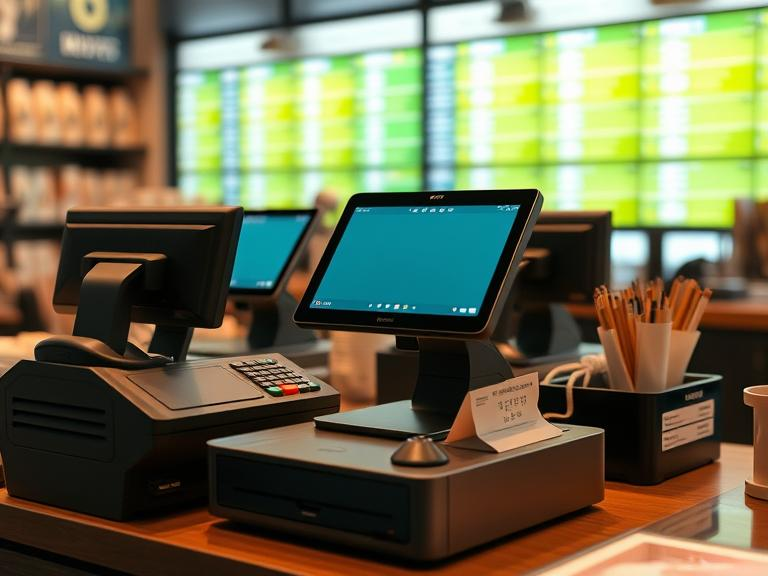
Before diving into how a phone can be used as a POS system, it’s essential to understand what a POS system is. A POS (point of sale) system is the place where a transaction happens—whether in a store, online, or through a mobile device. Traditional POS systems include cash registers, card readers, and specialized software to handle sales, inventory, and customer information.
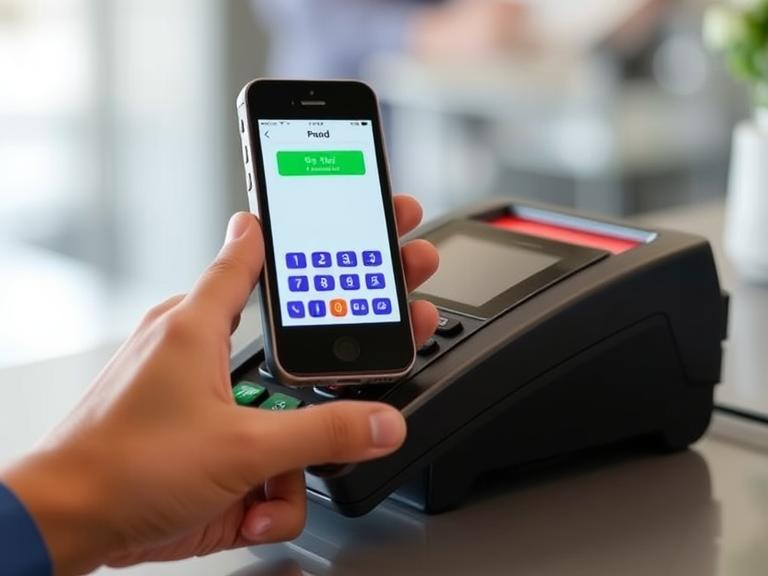
The great news is that your phone can now handle all of that. With the right software and accessories, your phone can process payments, manage inventory, track sales, and even print receipts. It’s an easy, low-cost option for many businesses, especially small businesses that need a portable and flexible solution.
How to Turn Your Smartphone into a POS System
Now, let’s get into how to turn your phone into a POS system. It’s easier than you might think. All you need is a smartphone, a POS app, and a few accessories like a card reader. Here’s a simple step-by-step guide to set up your phone as a POS system:
- Choose a POS App: There are many POS apps for phones. We’ll discuss the best options later, but you can start with popular ones like Square, PayPal Here, or Shopify POS.
- Get a Card Reader: If you want to accept credit and debit card payments, you’ll need a card reader. Most POS apps will have card readers that connect via Bluetooth or the headphone jack of your phone.
- Install the App: Download the app from the App Store (for iPhone) or Google Play Store (for Android). Follow the instructions to create an account and connect your payment processor.
- Set Up Your Products: Add your products, services, or inventory to the app. This can usually be done manually or by importing a product list.
- Start Accepting Payments: You’re ready! With the app installed and the card reader connected, you can start accepting payments right from your phone. The app will process payments, send receipts to customers, and update your inventory automatically.
What Are the Best POS Apps for Android and iPhone?
There are many great POS apps available for both Android and iPhone, making it easy to turn your smartphone into a mobile POS. Here are some of the best:
- Square POS: Square is one of the most popular POS apps out there. It’s simple, free to start, and has a range of features including inventory tracking, sales reports, and even employee management. Square also offers a card reader to accept payments anywhere.
- PayPal Here: PayPal Here is another excellent choice for small businesses. It works with both iPhones and Android phones, and it’s a great option if you already use PayPal for your online business. PayPal Here has a low fee structure, and it integrates with PayPal’s other services.
- Shopify POS: If you already use Shopify for your online store, Shopify POS is an obvious choice. It connects directly to your Shopify account and allows you to manage both in-person and online sales from one place.
- SumUp: SumUp is another easy-to-use mobile POS app that offers low transaction fees. It works with both Android and iPhone and provides a simple interface to manage your sales.
Each of these apps will turn your phone into a POS system, but the best one for you depends on your business needs.
Benefits of Using a Smartphone as a POS System
Using your phone as a POS system has several benefits, especially for small businesses:
- Cost-Effective: Traditional POS systems can cost hundreds or even thousands of dollars. With a smartphone POS system, you only need to pay for the app (which can be free or low-cost) and a card reader. This makes it an affordable option.
- Portable: A mobile POS allows you to accept payments from anywhere, whether you’re at a craft fair, a pop-up shop, or on the go.
- Ease of Use: POS apps are designed to be user-friendly. Most have intuitive interfaces that make it easy to track sales, manage inventory, and accept payments with just a few taps.
- Real-Time Updates: With a mobile POS, everything happens in real-time. Sales, inventory, and customer data are updated automatically, so you don’t have to worry about keeping track manually.
Is a Mobile POS System Secure for Transactions?
Security is always a concern when handling payments. Mobile POS systems use encryption to protect sensitive information like credit card details. When you use a POS app for phone payments, you can rest assured that your transactions are secure as long as you choose a reputable app.
Additionally, most POS apps are PCI-compliant, meaning they meet the standards set by the Payment Card Industry for secure transactions. This is crucial for businesses that want to protect their customers’ payment information.
While security is generally not a problem, it’s still important to choose a well-known POS system for your phone and make sure to follow best practices, like keeping your phone secure with a password or PIN.
How to Set Up a Mobile POS System
Setting up a mobile POS system is simple. Here’s a breakdown of the steps:
- Select the Right POS App: Choose a POS app that fits your business. If you’re selling online and offline, look for one that integrates with your e-commerce platform (like Shopify POS). If you just need basic sales and inventory management, Square or PayPal Here might be enough.
- Get a Card Reader: Most POS apps offer a card reader for processing credit and debit card payments. You can usually order this directly from the app or online.
- Enter Your Products: Add your products to the app, including names, prices, and inventory numbers. Many apps let you import products in bulk if you have a long list.
- Start Accepting Payments: Once everything is set up, you can start accepting payments using your mobile phone. The app will process payments and give you options to print or email receipts to customers.
Free POS Apps for Small Business Owners
For small business owners on a budget, many POS apps offer free versions. These apps can help you get started without spending money. Some of the most popular free POS apps include:
- Square POS: Offers a free version with basic features like sales tracking, inventory management, and reporting.
- PayPal Here: Free to download with no monthly fees, though transaction fees apply.
- SumUp: No monthly fee, with low transaction rates.
While these apps offer free plans, you may want to upgrade later if your business grows and you need additional features, such as advanced reporting or employee management.
Can I Process Payments Through My Phone for Retail?
Yes, you can process payments on your phone for retail businesses. With the right POS app, your phone becomes a powerful tool for accepting payments, tracking sales, and managing inventory. Whether you run a retail store, food truck, or pop-up shop, a phone POS system can handle all your payment processing needs.
What Is the Best Phone for a Mobile POS System?
You don’t need a special phone to use a mobile POS system. Any modern smartphone, whether Android or iPhone, will work well for most POS apps. However, there are a few things to consider when choosing a phone for POS:
- Battery Life: Since you’ll be using the phone for transactions throughout the day, battery life is important. Look for a phone with good battery life, especially if you plan to accept a lot of payments.
- Processing Power: Make sure your phone can run the POS app smoothly. A recent model of iPhone or Android should be sufficient for most apps.
- Compatibility: Ensure that the POS app you choose is compatible with your phone. Most apps support both Android and iOS devices, but it’s always good to check.
Conclusion
If you’re looking for a low-cost, flexible way to accept payments and manage your business, using your phone as a POS system is a great option. It’s easy to set up, secure, and works well for small businesses of all kinds.
Whether you run a retail store, offer services, or sell online, a mobile POS system can help you streamline transactions and stay organized. With the right POS app, you’ll be able to manage sales, track inventory, and accept payments all from your smartphone.
So, can you use your phone as a POS system for your business? Absolutely. And it’s a smart choice for many small businesses today.
Ready to get started? Choose the best POS app for your business today and start accepting payments directly from your phone!
FAQs
1. Can I really use my phone as a POS system?
Yes, with the right POS app and card reader, your smartphone can easily work as a point-of-sale system for your business.
2. What’s the best POS app for Android or iPhone?
Popular POS apps include Square, PayPal Here, and Shopify POS. Choose one based on your business needs, like payment processing and inventory tracking.
3. Is it secure to process payments on my phone?
Yes, most POS apps use encryption and are PCI-compliant, ensuring secure transactions when processing payments on your phone.
4. Do I need extra equipment to use my phone as a POS system?
You’ll need a card reader to accept card payments, which most POS apps provide. Your phone and the POS app will handle the rest.
5. Can I use a mobile POS system for retail businesses?
Absolutely! Mobile POS systems work great for retail businesses, allowing you to accept payments and track inventory from anywhere.