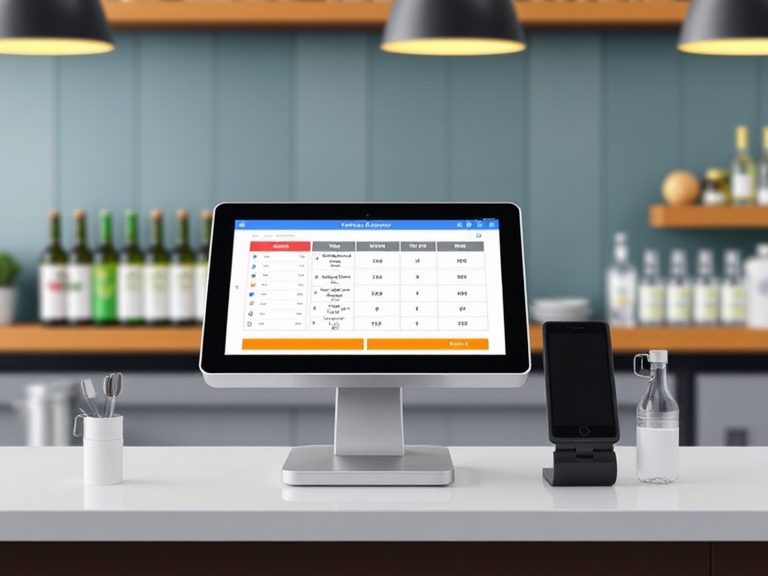
A well-designed POS system can make a huge difference in managing bar operations efficiently. The Bar Tender POS System helps streamline orders and payments, reducing wait times and improving customer satisfaction. With easy-to-use features, bartenders can focus on serving drinks rather than struggling with technology.
The Bar Tender POS System also offers inventory tracking, helping bars keep tabs on stock levels and reduce waste. This ensures popular items are always available, minimizing downtime and maximizing profits.
Integrating seamlessly with other business software, the Bar Tender POS System supports better financial management and reporting. This provides bar owners with the insights needed to make informed decisions and boost overall business performance.
Overview of Bar Tender POS Systems
Bar Tender POS systems streamline operations by offering essential features tailored for bars and providing various benefits that improve efficiency and customer satisfaction.
Essential Features
Bar Tender POS systems come with key features designed specifically for the fast-paced bar environment. One major feature is quick order entry, allowing bartenders to enter orders fast, reducing wait times.
Another crucial feature is inventory tracking. It helps bars keep track of stock levels in real-time, ensuring they never run out of popular items. This feature also helps minimize waste.
The customer management function is valuable for tracking regular customers’ preferences. It helps in offering personalized service. Additionally, sales reporting enables bar managers to monitor sales trends and make data-driven decisions. Integration with payment processors ensures seamless transactions, enhancing the customer experience.
Benefits of Using a POS System in a Bar Setting
Using a POS system in a bar setting has several advantages. Efficiency is greatly improved as orders can be processed quickly and accurately, reducing errors and wait times.
POS systems also provide better inventory management, ensuring that stock levels are always accurate and minimizing the risk of running out of key items. This can lead to significant cost savings.
Another benefit is the ability to analyze sales data. This helps bar owners understand which drinks are the most popular and make informed decisions about promotions and menu changes.
Furthermore, employee management features allow managers to track staff performance and schedules, ensuring optimal workforce efficiency. The integration with payment systems also speeds up transactions, making for a smoother customer experience overall.
Setting Up Your Bar Tender POS System
Setting up your Bar Tender POS System involves ensuring you have the right hardware, installing and configuring the software, and programming your menu. Each step is crucial for smooth operation.
Hardware Requirements
To start, you need specific hardware components. Touchscreen monitors are essential as they allow bartenders to quickly interact with the system. Receipt printers and cash drawers are needed for handling transactions. Make sure the printers support the POS software to avoid compatibility issues.
Additionally, barcode scanners help speed up the checkout process by scanning product barcodes. Ensure you have a reliable internet connection to maintain communication between all system components and process credit card transactions swiftly. Lastly, don’t forget backup power supplies to keep the system running during outages.
Software Installation and Configuration
First, download the Bar Tender POS software from the official website. Make sure your system meets the minimum software requirements. Install by running the setup file and following the guided steps.
Once installed, proceed to configure the system according to your bar’s needs. Set up user accounts and permissions to limit access to certain features. Configure payment processing options, ensuring integration with credit card processors. Regularly update the software to benefit from new features and security improvements.
Menu Programming
Inputting the menu into the system is vital. Start by entering each drink and food item, including prices and categories, into the POS software. This makes it easier for bartenders to find items during busy hours.
Organize the menu logically, grouping similar items together. For instance, place all cocktails in one section and beers in another. Include detailed descriptions and modifiers for customizable options like drink sizes or toppings.
Keep the menu updated regularly. Add new items and remove ones that are no longer available. This ensures accuracy and efficiency in service.
Operational Guidelines
The operational guidelines for the Bar Tender POS System cover essential areas such as transaction processing, inventory management, and customer relationship management. Each area plays a critical role in the smooth operation of your business.
Transaction Processing
The Bar Tender POS System simplifies the process of handling transactions. Staff can quickly enter orders, calculate totals, and process payments. Each terminal has an intuitive interface that reduces training time. Payment options include cash, credit cards, and mobile payments.
To keep lines moving, the system allows for split payment methods. Receipts are printed or sent digitally, based on customer preference. Regular updates ensure compatibility with the latest payment technologies.
Inventory Management
Inventory management is streamlined with the POS system. It tracks stock levels in real-time, helping prevent shortages and overstocking. Automatic alerts notify staff when supplies are low. Inventory reports can be generated for weekly or monthly reviews.
Items can be categorized for easier management. The system supports bulk item entries, reducing manual input time. Integration with suppliers makes reordering efficient. Consistent monitoring ensures that your bar runs smoothly.
Customer Relationship Management
The system strengthens customer relationships by collecting valuable data. It tracks purchase history, enabling personalized service. Loyalty programs can be integrated to reward frequent patrons. This encourages repeat business and enhances customer satisfaction.
Customer feedback is gathered through the POS system, aiding in service improvement. The system stores contact details for promotional campaigns, supporting targeted marketing efforts. Security features protect customer data to ensure privacy and trust.
Maintenance and Support
Keeping the Bar Tender POS System running efficiently requires regular maintenance and reliable support. Below are detailed points on common troubleshooting steps and updating the system for better security.
Troubleshooting Common Issues
For many users, common issues include slow performance, error messages, or transaction problems. Rebooting the system can often fix basic glitches.
If the screen freezes, check for any loose connections. Make sure all cables are secure and restart the device.
If transactions fail, verify internet connections. A weak or non-existent connection can interrupt processes. Additionally, ensure that all software is up-to-date to avoid compatibility issues.
When error messages appear, refer to the user manual or support website. These resources often provide step-by-step solutions for recognizable error codes.
For persistent issues, contact customer support. They typically offer 24/7 assistance and can guide users through more technical problems.
Updating System and Security
Regular updates are vital for security and functionality. Check for software updates weekly. These can include bug fixes, new features, or security patches.
Enable automatic updates. This ensures the Bar Tender POS System is always protected against the latest threats.
Back up data before updating the system. This avoids potential data loss if something goes wrong during the update process. Store backups in a secure, external location.
Set strong passwords. Change them regularly and avoid using obvious words or common phrases. Use a combination of letters, numbers, and special characters.
Monitor system logs for suspicious activities. Sometimes, unauthorized access attempts can be detected early by observing unusual login patterns or errors logs.
Frequently Asked Questions
This section addresses common questions about bar POS systems, including features, efficiency, costs, and recommendations.