Pharmacies today face an evolving landscape where efficiency, accuracy, and compliance are paramount. Traditional pharmacy management systems are being replaced by intelligent, cloud-based solutions that streamline operations, enhance patient care, and optimize revenue.
This guide explores the key benefits, must-have features, and future trends of cloud-based pharmacy POS and management software, helping you make an informed decision for your business
What is a Cloud-Based Pharmacy POS and Management Software?
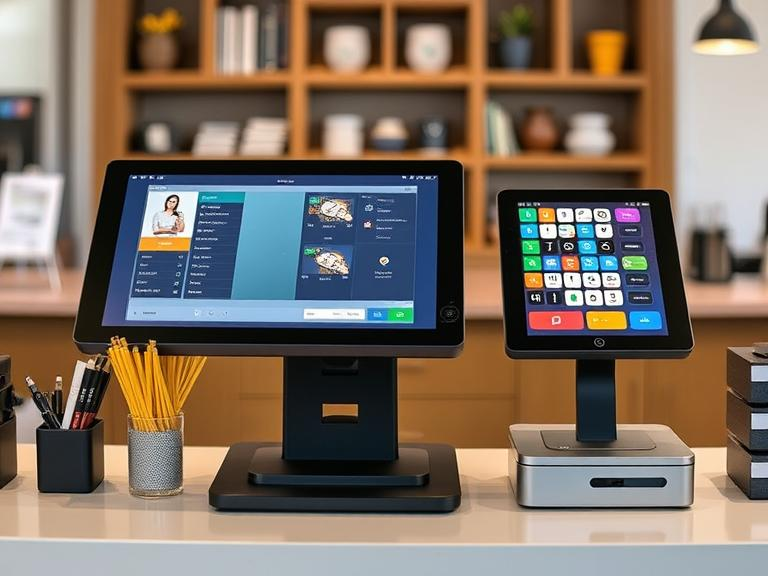
A pharmacy POS and management software is a digital solution designed to automate and optimize pharmacy operations. Unlike traditional on-premise systems, cloud-based solutions provide real-time data access, enhanced security, and seamless scalability.
These systems integrate inventory management, sales tracking, e-prescription processing, and regulatory compliance features, making them an indispensable tool for modern pharmacies.
Why Cloud-Based Pharmacy Solutions Are the Future
- Increased Efficiency & Automation
- Reduces manual tasks, minimizing human error.
- Automates prescription filling, billing, and inventory updates.
- Enhanced Data Security & Compliance
- Ensures compliance with HIPAA, FDA, and other healthcare regulations.
- Offers secure cloud storage with automatic backups.
- Real-Time Access & Remote Management
- Access pharmacy operations from any device, anywhere.
- Allows multi-location pharmacies to centralize data and streamline processes.
- Cost-Effective & Scalable
- Eliminates the need for expensive hardware and maintenance.
- Easily scalable to accommodate growing business needs.
Must-Have Features in a Pharmacy POS and Management System
1. Inventory Management
- Real-time stock tracking
- Automated reordering based on demand
- Expiry date alerts to prevent wastage
2. Sales & Billing Integration
- Faster checkout with barcode scanning
- Insurance claim processing
- Digital invoicing and payment integrations
3. E-Prescription Processing
- Integration with doctors’ prescriptions
- Digital record-keeping for compliance
- Reduced medication dispensing errors
4. Customer & Patient Management
- Prescription history tracking
- Automated refill reminders
- Loyalty programs for customer retention
5. Regulatory Compliance & Reporting
- Built-in compliance with health regulations
- Automated reporting and audit logs
- Secure data encryption to protect patient information
How to Choose the Right Pharmacy POS Software
- Assess Your Pharmacy’s Needs
- Do you operate a single-location or multi-location pharmacy?
- What are your primary challenges in operations?
- Compare Features & Pricing
- Ensure the system meets your specific workflow needs.
- Consider scalability and integration with existing tools.
- Look for User-Friendly Interfaces
- Ensure the software is easy to use for staff.
- Opt for solutions that provide comprehensive training and support.
- Check Vendor Reputation & Reviews
- Read case studies and customer reviews.
- Request a demo before making a decision.
Future Trends in Pharmacy POS and Management Software
🔹 AI-Powered Predictive Analytics – AI-driven systems will help pharmacies forecast demand, optimize inventory, and personalize patient recommendations.
🔹 Telehealth & Remote Patient Care Integration – POS systems will integrate with telehealth platforms to offer seamless virtual consultations.
🔹 Blockchain for Prescription Security – Ensuring tamper-proof prescription records and enhancing data integrity.
🔹 IoT-Enabled Smart Inventory – Automated inventory tracking through IoT-connected devices.
Conclusion
A cloud-based pharmacy POS and management software is no longer a luxury—it’s a necessity for pharmacies looking to optimize operations, enhance customer care, and stay ahead of regulatory requirements. By selecting the right solution with essential features and future-ready capabilities, your pharmacy can thrive in an increasingly digital healthcare landscape.
If you’re considering upgrading your pharmacy management system, Contact us today to see how cutting-edge technology can transform your business.
FAQs
Why is it important to have a POS system?
A POS system centralizes your products, pricing, and customer data, making transactions faster and more accurate. It streamlines processes such as order assignment, inventory tracking, and applying discounts. Using a barcode scanner further enhances speed and efficiency.
What are the types of POS systems?
There are four primary types of POS systems: legacy, tablet-based, mobile, and cloud-based. Modern POS systems (tablet-based, mobile, and cloud-based) offer better efficiency, cost savings, and flexibility compared to traditional legacy systems.
Who should use a POS system?
Any business that sells products or services, whether in-store or online, can benefit from a POS system. It not only registers sales but also tracks inventory, provides business insights, and enhances customer experience.
What are the advantages and disadvantages of POS systems?
Advantages: Improved customer service, streamlined inventory management, enhanced team coordination, and increased sales.
Disadvantages: Potential cybersecurity risks, upfront costs, and vulnerability to malware attacks.
What is the best POS system for pharmacies?
Several providers offer specialized pharmacy POS systems. If you’re looking for a tailored solution, NTT DATA Payment Services’ POS system is a great option. It is designed to meet pharmacy-specific needs, regardless of your business size.