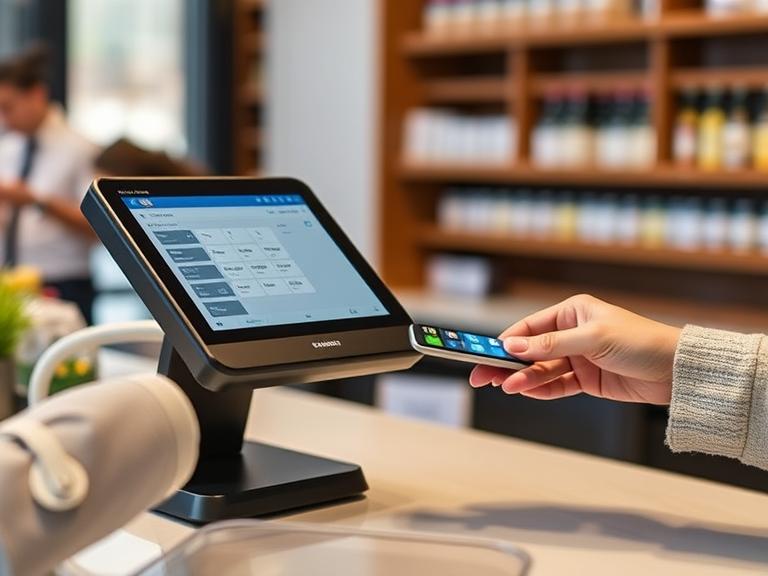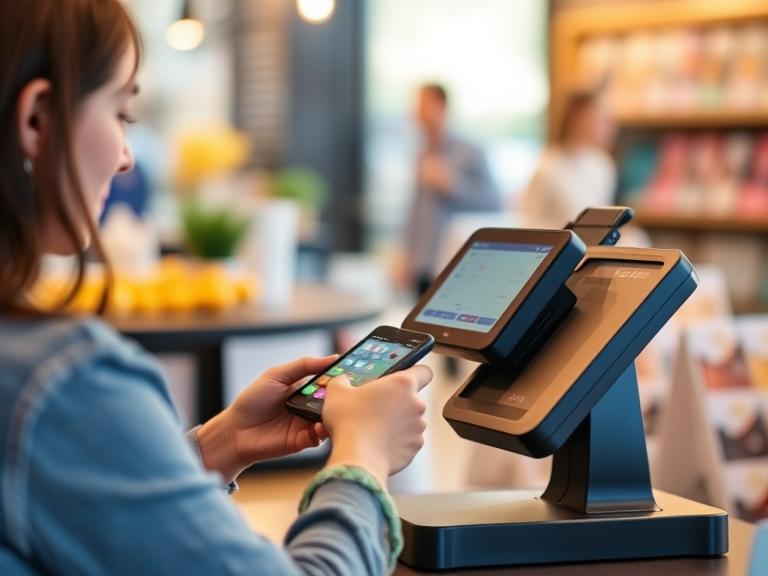
Picture this: you’re running a busy bar, and a customer tries to pay for a big order of drinks for their friends. Their card gets declined, and everyone’s confused. Why did this happen? It could be because of a POS payment limit. This is the most money a customer can pay in one go using your point-of-sale (POS) system, like the one you use to ring up sales. If you own a bar, restaurant, or shop, knowing about POS payment limits can save you from annoyed customers and lost money. Whether it’s a crazy Friday night or a calm afternoon, understanding these limits keeps your business running without hiccups. In this article, we’ll break down what POS payment limits are, why they exist, what affects them, and how you can handle them to make payments easy. Want to make your bar’s transactions smooth with a tool like BartenderPOS? Let’s jump in!
What is a POS Payment Limit?
A POS payment limit is the biggest amount a customer can pay in one transaction through your POS system. Think of it like a cap on how much money can move at once. For example, if someone at your bar orders $500 worth of drinks for a party, but your POS limit is $300, their card might not work. These limits come from different places: the company that processes your payments (like Stripe or Square), the bank, or even settings in your POS software.
In a bar, big orders happen often, like during a sports game or a birthday bash. Knowing your POS limit helps avoid awkward moments when a payment fails. It’s not just about accepting or rejecting a payment; it’s about keeping your customers happy without delays.
Why Do POS Payment Limits Exist?
Why put a limit on how much a customer can spend? It’s all about keeping things safe and fair. POS payment limits exist for a few key reasons. First, they help stop fraud. If someone uses a stolen card, a limit prevents them from spending a huge amount before anyone notices. Second, payment companies like Stripe or Square set rules to keep transactions secure. Third, card networks like Visa or Mastercard have their limits to protect everyone. Finally, you might set your limit to match your business needs.
For bars, limits matter because they keep payments safe during busy times, like when customers are buying rounds for a big group. Without limits, a bad transaction could cause trouble for you and your customers. Limits make sure everything stays fair and secure, so your bar runs without issues.
Factors Affecting POS Payment Limits
What decides how high or low your POS payment limit is? Several things play a role. First, your agreement with your payment processor, like Stripe or Square, sets a base limit. If you’re a new business, your limit might be lower than a bar that’s been around for years. The type of card also matters—credit cards, debit cards, and contactless payments like Apple Pay can have different limits. Your POS system, like BartenderPOS, can also let you set custom limits based on what works for your bar.
For example, a bar might have a higher limit for credit cards than for cash payments because cards are safer for large amounts. Knowing these factors helps you plan so your customers can pay without problems, whether they’re buying a single drink or covering a tab for a whole party.
How to Manage or Increase POS Payment Limits
How can you make sure POS payment limits don’t mess up your business? Here are some simple steps to handle or even raise them. Start by checking your agreement with your payment processor. Look at the fine print to see what your current limit is. If it’s too low, call your processor and ask for a higher limit—they might need some info about your business, like how long you’ve been open or how much you sell. Next, make sure your POS system, like BartenderPOS, is set up to handle bigger payments. Some systems let you adjust limits yourself. Finally, keep an eye on your sales data. Watching your transactions helps you spot patterns, like if big orders happen during happy hour or special events.
Managing limits well means fewer declined payments and happier customers. Want to make payments easy? Check out how BartenderPOS can help your bar handle any transaction size.
Common Issues with POS Payment Limits and How to Solve Them
Sometimes, POS payment limits cause problems. A customer’s card might get declined because their order is over the limit. This can frustrate people, especially during a busy night at your bar. Another issue is delays—big transactions might take longer to process if the limit is low. Customers might also feel annoyed if they have to split payments for a large tab.
Here’s how to fix these problems. First, offer to split big payments into smaller ones that fit under the limit. For example, if the limit is $200 and the bill is $300, process two payments. Second, use a POS system like BartenderPOS that lets you adjust limits quickly. Finally, train your staff to explain limits politely to customers. This keeps everyone happy and avoids awkward moments at the register.
How BartenderPOS Simplifies Payment Limit Management
BartenderPOS makes handling POS payment limits super easy. This system is built for bars and restaurants, so it understands your needs. You can set your payment limits to match your business, whether it’s a small daily cap or a higher one for big events. BartenderPOS works with major payment processors like Stripe and Square, so you can process payments without worry. It also gives you real-time data to see how much customers are spending, helping you spot when limits need adjusting.
Picture this: a bar using BartenderPOS during a packed game night. A customer pays a $400 tab, and the system handles it without a hitch because the limit is set high enough. Want to make payments this easy? Visit https://bartenderpos.com/ to learn more or request a demo today!
FAQs
What happens if a transaction goes over the POS payment limit?
The payment might get declined, or the system may ask for extra verification, like a PIN or ID.
Can I change my POS payment limit?
Yes! Contact your payment processor or adjust settings in your POS system, like BartenderPOS, to raise or lower the limit.
Do all POS systems have payment limits?
Most do, but the limits depend on your processor, bank, or system settings. Some systems let you customize them.
How do contactless payments affect POS limits?
Contactless payments, like Apple Pay, often have lower limits for security, but you can sometimes raise them with your processor.
These answers help you understand limits so your bar runs smoothly.
Conclusion
POS payment limits are like invisible caps on how much a customer can pay in one go. They exist to keep transactions safe, stop fraud, and follow rules from payment companies and banks. Things like your payment processor, business type, card type, and POS system decide your limit. By checking your processor agreement, adjusting your POS settings, and watching sales data, you can manage limits to avoid declined payments. Tools like BartenderPOS make this easy with flexible settings and real-time data. Fixing issues like declined cards or delays keeps your customers happy, whether they’re buying one drink or a big party tab. Ready to make payments simple at your bar?
Visit https://bartenderpos.com/ to see how BartenderPOS can help or contact us for a demo today!