Starting a small business means juggling a lot of costs. A point-of-sale (POS) system helps you ring up sales, track inventory, and manage customers at checkout. Many business owners wonder: “Are there any free POS systems?” The short answer is yes, several providers offer free or low-cost POS software. But “free” often comes with trade-offs. In this guide, we explain what a POS does, what “free” really means, and walk through top POS options (Square, Toast, Loyverse, eHopper, Zettle by PayPal, Helcim, Floreant, SpotOn, Imonggo, and more). We cover each one’s features, fees, pros, cons, and best use cases.
What Is a POS System?
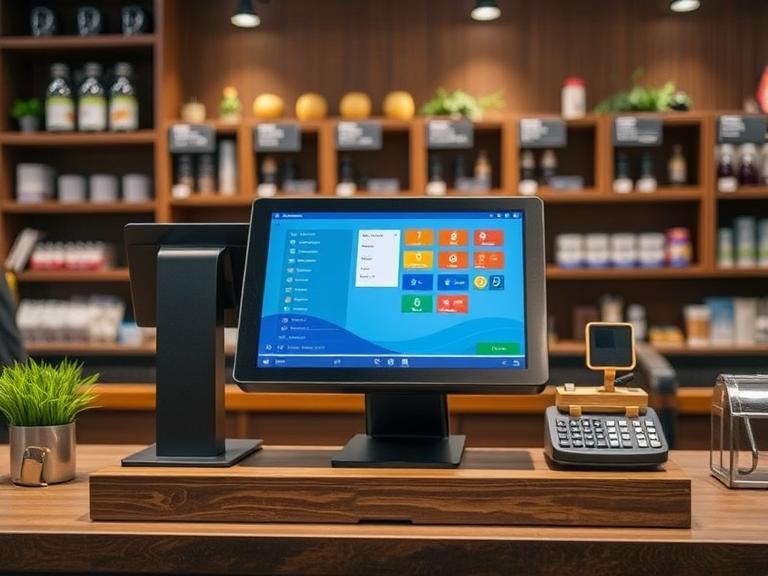
A point-of-sale system is the software and hardware used to complete sales. It’s the cash register of today: instead of just a cash drawer, modern POS includes a tablet or computer with a touch screen, barcode scanner, card reader, and receipt printer. With a POS you can scan items or select menu choices, take payments (card or cash), print or email receipts, and keep track of stock and sales data. In short, it helps you manage sales and inventory in a store, bar, cafe or mobile stand.
Most POS systems also have extra features like customer profiles, sales reports, tax tracking, employee accounts and tips. For example, a retail shop POS might warn when stock is low, while a restaurant POS might let servers put orders into a kitchen display or split checks.
What Does “Free POS System” Really Mean?
When a company advertises a “free POS,” it usually means the core software is free to use. You can download or sign up for the app without a monthly fee. However, there are usually other costs:
- Payment Processing Fees: Almost every free POS still charges a fee to process credit cards. This is often a small percentage of each sale (e.g. 2.6% + 15¢) paid to the POS provider or payment processor. It’s how these services make money, since the basic software is free.
- Hardware Costs: The software may be free, but you still need hardware. A tablet or phone, a card reader, a cash drawer and a receipt printer often cost money. Some companies give you a free card reader to start, but others sell them (for example, Square’s magstripe reader is free, Square’s contactless/chip reader is $59
- Premium Features: Free plans often have limits. You may have to pay extra for advanced inventory, employee accounts, loyalty programs, or more sales history. For example, Loyverse’s core POS is free, but features like unlimited sales history or employee tracking cost extra.
- Contracts or Install Fees: Some “free” POS systems require a long contract or setup fee. Toast’s free starter kit (for restaurants) comes with a two-year contract and installation costs.
In short, “free” often means “no monthly fee for the basic app,” but watch out for transaction fees and other charges. We’ll highlight all these details for each system below.
Hidden Costs to Watch For
Even if the software says “free”, keep an eye on the true costs:
- Transaction Fees: The rate per transaction varies. Square charges 2.6% + 15¢ per swipe/dip/tap. Zettle by PayPal charges 2.29% + 9¢ per in-person card. Toast (restaurant POS) charges about 2.49% + 15¢ if you buy hardware up front (or 3.09%+15¢ if you finance hardware). Helcim, by contrast, uses interchange-plus (roughly 0.40% + 8¢ per in-person transaction) which can be cheaper. Always check the exact rate and whether it’s flat or tiered by card type.
- Hardware and Accessories: Many POS systems need a tablet/PC, cash drawer, printer and scanner. Some vendors sell kits, others let you buy just a reader. Free POS providers often sell hardware (like Square’s $149 Stand or $299 Terminal. Ask if there’s a free reader or kit, and what extra equipment you need.
- Advanced Features: Sales history export, employee reports, kitchen display, online ordering, loyalty programs, or multi-location management can be extra. In Loyverse, for example, a loyalty program is included, but advanced inventory costs $25/month.
- Contracts and Support: Unlike month-to-month services (like Square or Loyverse), some POS plans require long contracts or non-refundable setup fees. Toast’s free plan still has early termination fees and setup charges. Others may limit customer support on free plans.
Understanding these costs up front helps avoid surprises. Now let’s look at which free POS options are out there.
Choosing a POS for Your Business
Different businesses have different needs. Here’s what to consider by type of store:
- Retail Shops and Boutiques: These stores need strong inventory features and barcode scanning. They often use a simple checkout with quick item lookup. A free POS for retail should track stock, support price tags or barcodes, and handle returns easily. Square and Loyverse work well here. Imonggo and eHopper also support inventory for small shops (though eHopper’s free tier limits you to 50 products). Retailers should look for POS that run on tablets or phones, sync with online stores, and manage customer data for loyalty.
- Bars, Cafes, and Restaurants: Eating places need table management (or at least splitting checks), tip handling, and kitchen order routing. Toast is built just for restaurants and even offers a free Starter Kit plan. Square also has a free Restaurant version on iPad, and Loyverse has a free restaurant mode with a kitchen-display add-on. Floreant (open source) is popular in restaurants too. Mobile phones/tablets are okay, but many bars like a fixed terminal or tablet at checkout.
- Food Trucks and Mobile Sellers: If you sell on the go, you’ll likely use a smartphone or tablet with a card reader. Look for a POS that works offline (in case you lose cell service) and is mobile-friendly. Square and PayPal Zettle (Point of Sale) both have excellent mobile apps and free card readers. Loyverse has an offline mode too. Transaction fees and ease of use are key for quick sales on the go.
- Service Businesses: Salons, repair shops or vets may need appointments and invoicing features. Square and Loyverse are often used for service because they have customer profiles and invoicing. eHopper’s paid plan adds invoice/email receipts, if needed. Free POS options here are fewer, but Square’s free plan covers many service needs.
Knowing your needs (inventory vs. orders vs. online sales) will guide your choice.
Let’s break down the most popular free POS systems one by one:
Square Point of Sale
Square is one of the most well-known free POS options. Its basic Square Point of Sale app has no monthly fee. You can download it on iOS or Android and use your existing devices. Square even includes a free magstripe card reader when you sign up. The hardware costs are transparent (e.g., $59 for a contactless/chip reader, $149 for an iPad stand), and there are no hidden monthly charges or startup fees.
Features: Square handles sales for various businesses (retail, quick-service restaurants, cafes, etc.). It supports barcode scanning, inventory tracking, customer profiles, and basic reporting. You can issue digital receipts, run loyalty programs, and connect an online store. Square’s free plan also lets you add unlimited staff and basic team management (some advanced employee controls cost extra).
Fees: Instead of a subscription, Square charges per transaction. In-person card swipes/dips/taps are 2.6% + 15¢ each. Keyed-in (manual) entries are 3.5% + 15¢. There’s also 2.9% + 30¢ for e-commerce transactions (like online orders). These rates are flat for all card types. There are no extra monthly or hidden fees – you pay only when using it.
Pros: Free to start, easy setup, works on phones/tablets and a variety of hardware. No contract. Good for very small merchants and pop-ups. Integrates with Square’s payment processing which many find convenient and fast.
Cons: Processing fees (2.6 %+) are higher than some interchange-plus plans. Funds may take a day or two to transfer. If your sales suddenly spike, Square may hold funds until it verifies your business. Square’s free inventory and reporting are basic (advanced retail features cost $60/month). And while it works offline briefly, you need internet or a phone network to process payments.
Best for: Small retailers, coffee shops, farmers markets, service businesses, and anyone who wants a simple POS with no monthly charge. It’s widely used by food trucks and small shops. For example, many cafes run on Square because it’s quick to use and has affordable card readers.
Toast POS (Starter Plan)
Toast is a POS system built for restaurants, cafes and bars. It was once paid only, but now Toast offers a free “Starter Kit” for single-location eateries. On this plan, there’s no monthly software fee (the kit starts at $0/month) if you use the included hardware package. Essentially you get a pair of Android-based terminals with no upfront lease cost. You only pay transaction fees to use it.
Features: Toast includes restaurant-specific tools: table and order management, kitchen display, tipping, split checks, and even online ordering. It runs on Toast’s hardware (Tablets and handhelds). With the free plan, you get the core POS system and flat-rate processing. Toast also has 24/7 support and integrates payroll, team scheduling, and loyalty (but those advanced suites usually cost extra).
Toast’s POS interface (and hardware) is free for up to two terminals on the Starter Kit plan. You only pay processing fees. In-person swipe/dip transactions run around 2.49% + 15¢ if you buy hardware upfront. If you choose a “pay-as-you-go” hardware deal (free terminals) the rate is ~3.09% + 15¢. Toast’s rates for online (card-not-present) sales are higher, about 3.50% + 15¢.
Pros: Built for food service. Free plan includes hardware (so you don’t need to buy an iPad or register). Has features like menu modifiers, a self-service kiosk, and gift cards. Great 24/7 support and free training resources.
Cons: The free Starter Kit requires a two-year commitment and a one-time implementation fee. After that, advanced features (like accounting or payroll) cost extra. Toast is an all-in-one solution for restaurants, but if you’re a small cafe, this might be more than you need. Also, Toast’s online ordering and accounting integrations are add-ons.
Best for: Sit-down restaurants, quick-service eateries, and bars. Toast is ideal if you want a restaurant system on the cheap and don’t mind the contract. If you only need a single register and a basic menu, it could be a fit. New pubs and cafes have used Toast’s free plan to get started with professional hardware at no upfront cost.
Loyverse POS
Loyverse POS is a free mobile/tablet POS geared to small shops, cafes and restaurants. It’s 100% free to download and use for basic sales. You can manage products, ring up sales, track customers, run loyalty points, and view sales reports without paying a dime. Loyverse even works offline — the app continues to accept sales if your internet goes down (though features like refunds or adding customers need a connection).
Features: Loyverse is strong on inventory: you can categorize items, add photos, and take stock counts. It offers a built-in loyalty program (points on purchases) and basic analytics. For restaurants, there is a Floor Plan plugin and KDS app (kitchen display) for free, but you may need the paid “Employee Management” add-on to track server sales or schedule staff.
The Floreant (above) and Loyverse interfaces both support touchscreen ordering (Loyverse shown in the image). Loyverse’s free core POS includes sales and inventory, but certain extras cost extra. For example, unlimited sales history (beyond the past 100 days) is a $5/month add-on. The Employee Management add-on is $25/month per store (or $250/year on annual billing), and Advanced Inventory (purchase orders, stock valuation) is also $25/month. These add-ons have 14-day free trials.
Fees: Loyverse itself doesn’t charge transaction fees — you use your card processor. For card payments, Loyverse integrates with third parties like SumUp or iZettle (now PayPal Zettle), or you can just use a card machine and enter sales manually.
Pros: Truly free for basic features. Works on any Android/iOS device. Offline mode for uninterrupted service. Good for shops that want loyalty and analytics without a monthly bill. No contract, and you own your data.
Cons: The free plan doesn’t include employee or advanced inventory tools (without add-ons). No built-in payments, so credit cards need a separate terminal. Customer support is mainly via chat or forum unless you pay. It may be overwhelming if you want a very simple checkout (it has many buttons).
Best for: Small retail stores, cafes or juice bars on a tight budget. Businesses that want offline capability and a loyalty program, and are comfortable adding on extra features only if needed. Loyal Loyverse users include boutique shops, small grocery stores, and hair salons in many countries.
eHopper POS
eHopper is a cloud-based POS that offers a free Essential Plan for very small businesses. Its free tier supports one POS terminal, up to 50 products, and 300 transactions per month. It’s available on Android tablets, Windows PCs, and even Poynt smart terminals. This makes it a flexible choice for shops or quick-service restaurants that fit those limits.
Features: The free plan gives you basic sales, receipts, inventory (for up to 50 SKUs), customer records, and reporting. There’s a built-in payment processing too, though you are not locked in – eHopper integrates with PayPal and other gateways. The system includes order management, and if you upgrade you can get customer/tip features.
Fees: eHopper does not charge extra processing fees on its free plan – you pay the standard card rates via your chosen processor (e.g. PayPal fees). There is no monthly software fee on the Essential plan. If your business grows, eHopper’s paid plans are very affordable (e.g. ~$17–$30 per month, billed annually), adding more features and unlimited products.
Pros: Simple and user-friendly. Good if you only have one register. Includes offline mode to keep selling without internet. Choice of device (Android or Windows). Integrated payment processing is built-in, but you can use your own provider.
Cons: The free plan is very limited (only 50 items, 300 sales/month). If you have more inventory or transactions, you must upgrade. Lacks advanced features (loyalty, multi-store, deep reporting) on the free tier. The free plan is really a starter/trial – you’ll likely outgrow it quickly.
Best for: New or test-phase businesses, food trucks, and small stands that need basic POS without any cost. Also works for kiosk-style quick restaurants. It’s marketed to startups with limited inventory. Use this to try POS features without risk, then upgrade as needed.
Zettle by PayPal (formerly PayPal Zettle)
Zettle is PayPal’s free POS app for small merchants. The app is free to download and use. It runs on iPhones, iPads or Android devices. PayPal sells a card reader for Zettle (about $59 for the chip-and-NFC reader), but you can also just use the app without hardware if needed.
Features: Zettle’s app covers the basics: product library, checkout, tips, receipts (paper or email), and simple inventory counts. It works smoothly with PayPal’s ecosystem: you can accept PayPal (digital wallet) payments as well. It includes barcode scanning if your device has a camera. The interface is clean and easy to use for on-the-spot sales.
Fees: PayPal Zettle charges 2.29% + 9¢ per in-person card transaction. Keyed or manual entries are 3.49% + 9¢. (This is slightly cheaper than Square’s rate.) QR code sales are also 2.29%+9¢. There are no monthly fees or contracts, just these flat rates. Payouts can go directly to your PayPal account within minutes or to your bank in one business day.
Pros: No software cost or contracts. Low transaction fees for in-person cards. Works anywhere with an internet connection, and can even do offline transactions later synced. Great for outdoor markets, pop-ups and mobile vendors due to portability. Also good for very small shops that already use PayPal.
Cons: No offline hardware (you need internet to process payments, though the app can queue charges offline briefly). Limited reporting and inventory (this is not built for complex stores). For larger operations or multiple registers, Zettle’s app is too basic. Support is via PayPal’s help center.
Best for: Solo sellers, market stalls, small retail counters, and quick service shops that already use PayPal. Any small business owner who wants a free POS with one of the lowest card fees. For example, artists or consultants who invoice on the spot love the ease of PayPal integration.
Helcim POS
Helcim is primarily known as a merchant processor (interchange-plus rates), but it also offers a free POS app. The Helcim Point of Sale app is included with your account at no extra charge. You just pay a one-time $99 for Helcim’s card reader. There is no monthly software fee, no leases, and no hidden contracts.
Features: The Helcim POS app runs on most tablets and iPads. It lets you ring up sales, swipe cards (with their reader), accept contactless on iPhone (Tap to Pay on iPhone), split payments, issue refunds, and print/email receipts. It’s a straightforward POS with quick sale entry and basic inventory. Because Helcim is a processor, the POS is integrated with Helcim’s payment system and business dashboard.
Fees: Helcim uses transparent interchange-plus pricing. For small businesses under $50K/month, in-person cards are interchange + 0.40% + 8¢ (which often works out to around 2.2–2.5% total). Online/invoiced cards are interchange + 0.50% + 25¢. These rates can drop as your volume grows. Compared to flat rates, Helcim’s model usually saves merchants about 25% on fees. The exact numbers vary, but you get the real card cost plus a small margin.
Pros: Low and transparent fees. No monthly or processing markups. Free POS app with only a one-time reader cost. Good for businesses wanting honesty in pricing. Unlimited customer and transaction data.
Cons: Compared to big brand apps, the Helcim POS is more basic (fewer settings, simpler reports). It’s meant to work with Helcim’s processing – you have to use their merchant account. It’s also U.S./Canada-focused. If you have non-USD sales, read Helcim’s fee rules.
Best for: Small businesses on a budget, especially if you do a decent volume of card sales. Helcim’s customers tend to love the low rates and good customer service. It’s great for retailers, cafes or any merchant that processes a lot of Visa/Mastercard and wants to minimize fees.
Floreant POS (Open Source)
Floreant POS is a free, open-source restaurant POS. It’s downloadable and runs on Windows, Linux or Mac (Java-based). There are no software fees, no ads, and no required subscriptions. You can fully use Floreant for dine-in or takeout restaurants at no charge. The main cost is your own hardware (it’s usually a Windows PC or tablet plus printer and scanner).
Features: Floreant was built for restaurants. It has order entry by tables, kitchen printer management, multiple checks per table, tip entry, and a built-in kitchen display system (KDS). You can customize menus and categories. The interface uses big buttons (see screenshot) for fast ordering of items. It also handles tax, waiter assignment, and reports sales by item, category, or server.
Floreant POS interface (shown above) is entirely free. It lets cafes and pizzerias take orders with an on-screen menu, manage tables, print receipts, and run reports. It works offline, with a local database on your machine (no internet needed). Being open-source, you can modify it or even view the source code. There are optional paid “Pro” plugins for things like credit card terminals or advanced inventory (sold by the developers), but the core restaurant POS is free.
Fees: The software itself is free. Payment processing is up to you: Floreant doesn’t include a built-in processor. You would process cards via an attached terminal (Verifone, etc.) or do authorization elsewhere. So there are no fees from Floreant, only whatever your card merchant charges.
Pros: Completely free and offline – great for avoiding cloud fees and subscriptions. Good for mom-and-pop restaurants, cafes or bars that want a no-cost POS on Windows. Highly customizable if you have tech skills. Has many restaurant features out of the box.
Cons: The interface is a bit dated and can be complex to set up. It’s not as user-friendly as a modern app on a tablet. You need to install and maintain the software yourself. There’s no official support beyond community forums. It can be overkill if you just want a simple register. Also, if you want mobile iPad support or fancy loyalty, you won’t get that for free.
Best for: Restaurants or pizzerias with a tech-savvy owner, or any business wanting a 100% free offline POS. Because it’s free software, it’s often used by volunteer organizations, schools, or cafes in remote areas.
SpotOn POS
SpotOn offers a free plan that even includes hardware for restaurants and small retailers. With SpotOn’s free plan, they give you an all-in-one terminal (a touchscreen with built-in printer and swiper). You only pay SpotOn’s transaction fees and optional add-ons. Their entry-level plan for retail is $25/mo, but you can start on the free tier and pay per transaction (they advertise “Free plan includes hardware”).
Features: SpotOn is known for restaurant features and staff tools. It has menu management, modifiers, loyalty rewards, and a separate Teamwork app for shift scheduling and payroll (even on the free plan). It runs on SpotOn’s own terminals (so you lease or get one). It also offers offline mode. The interface is modern and designed for quick service.
Fees: Their free plan charges 1.99% + 25¢ per transaction (in-person Visa/MasterCard), which is competitive. If you go beyond free and choose their paid plans, retail plans start at $25/mo and restaurant plans at $99/mo. But even on the free plan, you already get a lot of hardware and software.
Pros: For small restaurants, getting a full terminal free is a big plus. Good staff scheduling features. Offline functionality. They support tables and tips. SpotOn integrates payments and marketing (email receipts, gift cards). Reviewers say their free plan is “top tier” for small businesses.
Cons: You must use SpotOn’s hardware (fewer options than Square or Stripe, for instance). Their advanced restaurant retail plan can be pricey ($99+). The free plan is geared to small shops/restaurants only. The setup can be slower as you wait for hardware.
Best for: Small restaurants or boutique retailers that want a one-stop terminal and don’t mind a branded system. Businesses that will use the Teamwork app for employees. SpotOn markets heavily to eateries and local shops. If you want a free touchscreen register without upfront cost, SpotOn is attractive.
Imonggo POS
Imonggo advertises itself as “free forever” for small retailers. It’s a cloud-based POS that you run in a browser or tablet app. The free plan lets you manage up to 1,000 products and 1,000 transaction lines per month. A “transaction line” is each item sold, so 10 items on a ticket = 10 lines. If you hit either limit, you must wait a month or upgrade.
Features: Imonggo’s free version includes inventory, pricing, sales, customer data and basic analytics (daily, monthly sales reports). You can create sales receipts or invoices, track orders, and even set up a points-based loyalty program. Imonggo also syncs with Shopify and Xero (in paid plans). It’s simple and web-based, so you can log in from anywhere.
Fees: There is no monthly fee for the free plan. If you need more (unlimited products, sales, or users), Imonggo’s premium is $30/month per location. They do not process credit cards themselves, so you must use an external payment solution (like Stripe or PayPal) for card transactions.
Pros: Very easy to use. The free plan is generous compared to some competitors (1,000 items and orders are a lot for a startup). Web access means you can check sales from anywhere. It even has offline mode if your internet drops. Free support (chat and email) is available.
Cons: The free plan is capped – if your store grows beyond 1,000 transactions or products, you’ll need to pay. The interface is basic and doesn’t have advanced retail features like multi-location, employee permissions, or detailed inventory valuation without upgrading. It’s best for very small shops.
Best for: New small retailers who want a full cloud POS without cost. For example, a one-person boutique or simple cafe with under ~50 sales/day could use Imonggo indefinitely. It’s especially handy if you like managing sales and inventory online.
Other Free or Open-Source POS
Besides the big names above, there are a few more free POS solutions:
- Odoo POS: Odoo is an open-source business suite with a POS module. The software is free to self-host (you need your own server). Odoo POS works offline and has nice barcode features, but it requires technical setup. The basic community edition is free, but advanced support or cloud hosting costs extra.
- SambaPOS (Community Edition): SambaPOS is a popular free restaurant POS for Windows. It’s open-source (SambaPOS3 Community Edition) and has extensive features for table orders and kitchen printing. Like Floreant, it’s more technical to set up.
- Chromis POS: An open-source Java-based POS originally forked from uniCenta. It’s free to download and works offline on desktops. Good for retailers who want a no-cost Windows POS.
- Lighthouse (Sunmi) or Android POS: These are typically hardware solutions with free basic apps, often used in retail kiosks (e.g. SushiPOS).
- Sleek (formerly 1SMS): Some small providers give free plans (often in exchange for paying processing).
Generally, open-source POS gives you full control at no software cost but requires hardware and IT skills. They might not have modern UI or support.
Comparison of Free POS Systems
Below is a plain-English comparison of the free POS options covered above:
| POS System | Free or Cost | Key Transaction Fee | Best for | Notable Pros/Cons (Short) |
| Square | Free app / no monthly fee | 2.6% + 15¢ (in-person) | Retail stores, cafes, and food trucks | Pros: Easy setup, free mag-reader, many integrations. Cons: Flat 2.6% fee, holds on funds. |
| Toast | $0/mo Starter Kit | ~2.49% + 15¢ (in-person) | Restaurants, bars, and cafes | Pros: Restaurant features, free hardware option. Cons: 2-year contract, higher online fee. |
| Loyverse | Free (with paid add-ons) | Use your own processor (e.g. 2.5% typical) | Small shops, cafes, and salons | Pros: Offline mode, loyalty program. Cons: Advanced inventory & staff cost extra. |
| eHopper | Free (Basic) | Use your own processor or PayPal | Very small shops, kiosks | Pros: User-friendly, one terminal. Cons: Only 50 items & 300 tx/mo free. |
| PayPal Zettle | Free app, card reader $59 | 2.29% + 9¢ (in-person) | Mobile sellers, small retailers | Pros: Low fees, no monthly, fast payouts. Cons: Needs internet, basic features. |
| Helcim | Free app (card reader $99) | ~0.40% + 8¢ (in-person) | Bargain-focused small businesses | Pros: Very low transparent fees. Cons: Must use Helcim processing, basic POS UI. |
| Floreant POS | Free (open source) floreant.org | None (use separate payments) | Restaurants, pizzerias | Pros: Fully free, offline. Cons: Technical setup, no integrated payments. |
| SpotOn POS | Free plan (includes terminal) | 1.99% + 25¢ (in-person) | Small restaurants & boutiques | Pros: Free hardware, offline mode. Cons: Limited hardware choices, paid plans pricey. |
| Imonggo | Free plan (limits 1K items, 1K sales) | Use your own payment method | Very small retail shops | Pros: Web-based, offline mode. Cons: Caps on free plan, no built-in card processing. |
| Others | Varies (some open-source free) | Varies | Niche cases (e.g. tech-savvy users) | Examples: Odoo POS, SambaPOS. Require DIY setup; no monthly fees but no support. |
How to Choose the Right Free POS System
With all these options, how do you pick? Here are a few tips:
- Match features to your business: If you’re a cafe or restaurant, get one with table/tip support (Toast, Floreant, eHopper’s restaurant plan). For retail, you need strong inventory and barcode scanning (Square, Loyverse, Imonggo).
- Consider your volume: If you have a lot of sales or many items, make sure the “free” plan can handle it. Imonggo’s free tier caps at 1,000 items and sales, while Square and Loyverse have no limits on items or transactions (apart from fees).
- Think about hardware: Do you want to use your phone/tablet or buy a register? Square and Zettle let you start with a phone. Toast and SpotOn include terminals. Open-source like Floreant means finding your own PC/tablet.
- Check payment needs: If you already have a credit card terminal, you can use a free software POS like Loyverse or Floreant with it. If not, services like Square, Zettle or SpotOn provide readers. Also compare processing rates, since “free” often means paying more per transaction.
- Read the fine print: Watch for contracts (like Toast’s two-year commitment) and setup fees. Some “free” POS still require a startup payment or have hidden charges. For example, Toast’s free hardware comes with financing terms, and SpotOn’s pricing escalates for restaurants.
- Trial first: Many POS providers let you try the app free or on a demo. Sign up or demo a few to see which interface you like. Since the software is free, you can often just download and play with it, maybe even run a few test sales.
Conclusion
Yes, there are truly free POS systems for U.S. small businesses—but “free” usually means free software with paid transactions or extra features. Square, Toast, Loyverse, eHopper, PayPal Zettle, Helcim, Floreant, SpotOn and Imonggo all offer free tiers or open-source options. The best choice depends on your type of business:
- Retail shops often pick Square or Loyverse for their ease and inventory tools.
- Restaurants and cafes may lean toward Toast (free starter), Floreant, or SpotOn for table management.
- Very small or mobile sellers might choose Zettle or Square for simplicity.
- Budget-conscious owners might try Helcim or open-source (no fees beyond hardware).
- New startups can test several since the software is free; just factor in payment costs.
In any case, read each provider’s terms, compare transaction fees, and consider long-term growth. A “free” POS can save money on software, but don’t overlook the cost of card fees and equipment. With the right match, your small store or bar can have a professional checkout without a high price tag.
FAQs
1. What are free POS systems for small businesses?
Free POS systems for small businesses are software tools that help manage sales, inventory, and customers without upfront costs.
2. Are free POS systems for small businesses free?
Yes, many offer free plans with basic features—some charge only for add-ons or payment processing.
3. Can free POS systems for small businesses handle inventory?
Absolutely. Most free POS systems for small businesses include inventory tracking to help manage stock efficiently.
4. What’s the catch with free POS systems for small businesses?
Some may limit features or charge fees for extra users, hardware, or advanced tools.
5. Are free POS systems for small businesses secure?
Yes, most reputable providers use encryption and cloud backups to keep your data safe.
Meta Title: Free POS Systems for Small Businesses: Complete Breakdown
Meta Description: Looking for free POS systems for small businesses? Explore top-rated free POS systems for small businesses and see how they simplify inventory, sales, and customer tracking.