
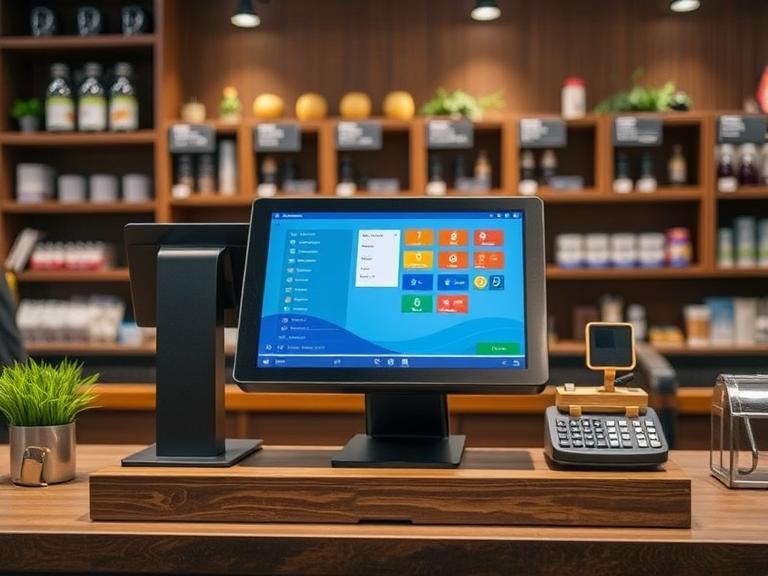
If you’re running a shop, restaurant, or any kind of business where people pay at a counter, your point-of-sale (POS) system isn’t just a cash register anymore. It’s a goldmine of helpful information about your customers. This article breaks down why POS systems matter for customer insights and how they help you understand what people like, how often they buy, and what keeps them coming back. No fancy terms, no fluff. Just clear and simple facts.
What Is a POS System, Really?
Let’s keep it simple. A POS system is the machine or software you use to take payments. It could be the tablet by your checkout, the touchscreen the cashier uses, or even the app on your phone. But that’s not all it does. Today’s POS systems also record every purchase, the items bought, the time of the sale, and sometimes even who made the purchase.
This data, when organized and looked at properly, tells a story about your customers.
Why Knowing Your Customers Matters
Understanding your customers helps you give them what they actually want. It can:
- Help you know which items are popular
- Let you see when people shop most
- Show you who comes back and who doesn’t
- Point out which deals get people to buy more
If you know what your customers like, you can run your business better and make more money.
What Kind of Information Does a POS System Collect?
Every time someone buys something, your POS system collects useful bits of info:
- What was bought: Items, categories, or brands
- When it was bought: Date and time
- How it was paid for: Credit card, cash, digital wallet
- How much was spent: Total bill
- If linked to loyalty: Which customer bought it
All of this helps you paint a clearer picture of your buyer’s habits.
How POS Systems Help You Track Preferences
Let’s say someone buys coffee from your café three times a week. Your POS will show that. Over time, you’ll see this person always orders a caramel latte. Maybe they always buy a muffin on Mondays. Now, imagine being able to offer them a discount on their usual order next time they visit.
This is how you build stronger customer relationships. You’re not guessing. You’re using real info to make smarter moves.
Patterns Tell You What Works (and What Doesn’t)
POS systems help you see patterns:
- Which items sell the most and least
- What time of day is busiest
- Which staff member sells more loyalty memberships
- What deals bring more traffic
You can stop wasting money on ideas that don’t work. Instead, you put time and effort into what brings results.
Targeted Deals That Feel Personal
Everyone likes to feel special. When you use a POS system to understand buying habits, you can send deals that match what each person actually buys.
For example:
- Someone who always buys baby products might get a coupon for diapers.
- A customer who buys dog food every month could get a discount for pet treats.
People are more likely to come back when the deal feels like it was made just for them.
Loyalty Programs That Make Sense
POS systems often come with loyalty program features. They track how often people shop and how much they spend. That way, you can reward regular customers without guessing.
Examples:
- Buy 9 coffees, get the 10th free.
- Spend $100, get $10 off your next visit.
You’re saying “thank you” in a way that makes sense to your customer.
Real-Life Example: The Coffee Shop Down the Road
Let’s say a local coffee shop uses its POS to track what drinks are popular. They see that iced mochas are flying off the shelves during summer afternoons. So they start a “Happy Hour Mocha Deal” from 2–5 p.m. Sales shoot up. Customers start showing up just for the deal.
That didn’t happen by luck. The owner looked at the data, saw the trend, and made a smart decision.
Inventory and Customer Data Work Together
If you know what’s selling fast, you can stock up. If something sits on the shelf too long, maybe people just aren’t into it. When you match this with what people usually buy, you get a sharper view.
- You might notice that when someone buys pasta, they often grab a jar of sauce too.
- Or you might see that people who buy socks usually buy shoes within the same week.
This helps with product placement, upselling, and smarter restocking.
POS Data Helps You Plan Ahead
Don’t want to run out of stock during a busy season? Your POS shows what sold well last year at the same time. You can use that info to prepare.
- More soda in the summer
- More umbrellas in the rainy season
- More hot chocolate in winter
Simple patterns like these make your planning easier.
Improve Customer Experience
When you know what your customers like, you can make shopping faster and more fun. Maybe you:
- Suggest items they forgot to grab
- Offer faster checkout with their saved payment info
- Print receipts with personalized coupons
Even small things like these make people feel valued.
Connect POS with Other Tools
Many modern POS systems can connect to email tools, text platforms, and apps. That means you can:
- Email a thank-you note after a big purchase
- Text a coupon on someone’s birthday
- Send reminders when it’s time to reorder
This is how small businesses grow without losing that personal touch.
POS Isn’t Just for Big Stores
You don’t need to run a huge company to benefit from customer info. Even small shops or home-based sellers can use POS data. There are affordable tools that track basic habits and show useful reports.
Starting small is okay. What matters is using what you learn.
Make Better Marketing Choices
Instead of guessing what ads to run or what items to promote, use POS data.
- See which coupons worked before
- Know what items sell well in bundles
- Track repeat buyers and give them reasons to return
Your money goes further when you know what works.
Data Over Time Shows You Growth
When you track customer behavior month after month, you’ll see changes:
- Which items became new favorites
- If traffic slowed during certain times
- How a sale impacted next-week visits
Long-term info helps you make smart choices now.
How to Get Started
If you’re not using these features yet, it’s easier than you think:
- Log in to your POS software and find the reporting section.
- Look at what customers buy most.
- See what time and days are busiest.
- Try running a small deal and track how people respond.
- Use email or text tools that connect with your POS to send offers.
It doesn’t need to be perfect. Just get started and adjust as you learn.
Don’t Let Good Info Go to Waste
You already collect this data every day. Why not use it? POS systems can help you:
- Make smarter decisions
- Reward loyal shoppers
- Keep items in stock
- Send better deals
It’s all about using what you already have.
Quick Tips to Remember
- Use POS reports weekly, not just at tax time.
- Send deals that match what people buy.
- Set up a loyalty program that feels fair.
- Watch trends and adjust fast.
- Keep it simple and clear.
Final Thoughts
You don’t need to guess what your customers want anymore. Your POS system already has the answers. All you have to do is look, learn, and act.
Whether you’re running a bakery, salon, pet store, or online shop, knowing your customer better gives you an edge. It helps you treat every shopper like they matter—because they do.
Ready to use your POS system for real growth? Start tracking what your customers love, and give them more of it. Simple moves lead to smart wins.
Don’t wait. Open your POS dashboard today and see what’s working.
FAQs
What does a POS system do for customer insights?
It tracks what people buy, when they buy, and how often, helping you understand their shopping habits.
Why POS Systems Matter for Customer Insights in small businesses?
They help small businesses spot trends and personalize offers without needing expensive tools.
Can POS systems show customer buying patterns?
Yes, they record every purchase and help you find patterns over time.
How do POS systems help with loyalty programs?
They track customer visits and spending, making it easy to reward regular shoppers.
Is it hard to use a POS system for insights?
No, most modern POS tools are user-friendly and include reports you can understand quickly.


