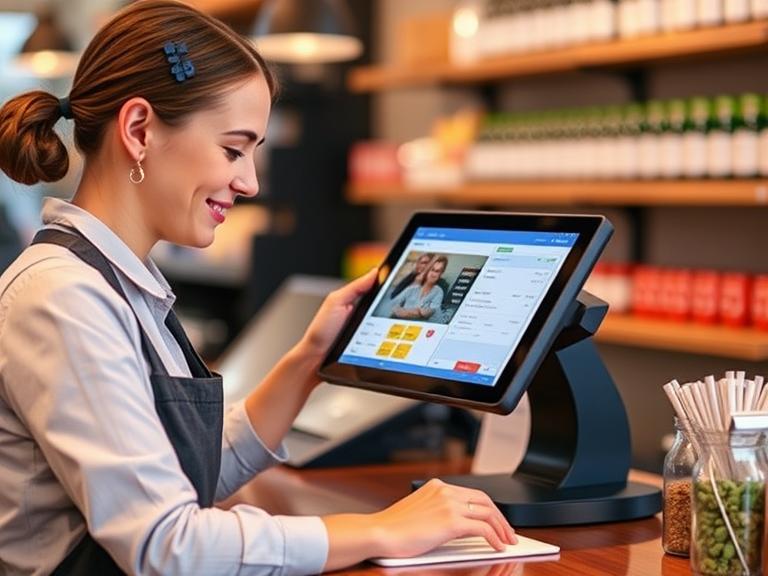
Pricing products right can make or break a business. Whether you run a small shop, an online store, or a big retail chain, setting the perfect price helps you earn more money, keep customers happy, and stay ahead of competitors. But how do you decide what price works best? That’s where POS data comes in. Point of Sale (POS) data is the information collected every time a customer buys something. It’s like a treasure map, showing you what’s selling, who’s buying, and when. Using this data, you can create a pricing strategy that boosts your profits and keeps your customers coming back.
This article explains how to use POS data to optimize your pricing strategy. We’ll break it down into simple steps, share real-world examples, and show you tools to make it happen. By the end, you’ll know exactly how to use POS data to grow your business. Let’s get started!
What is POS Data and Why Does It Matter
Imagine every sale in your store as a story. Who bought what? When did they buy it? How much did they spend? POS data is like a book that collects all these stories. Every time a customer checks out—whether at a cash register, online, or through a mobile app—your POS system records details like the product, price, time, and even customer info. This information is gold for businesses because it shows what’s happening in your store.
Why does this matter for pricing? POS data tells you which products sell fast, which ones sit on shelves, and what customers love. For example, if your data shows that blue shirts sell out every weekend but red ones don’t, you might raise the price of blue shirts slightly to earn more. Or, if you notice customers buy more when you offer discounts, you can plan sales around that. Knowing these patterns helps you make pricing decisions that match what your customers want and what the market demands.
POS data isn’t just about sales. It also tracks inventory (what’s in stock), customer habits (like how often they buy), and even which times of day are busiest. All this helps you understand your business better and set prices that work.
The Role of POS Data in Pricing Strategy
So, how does POS data help you pick the right prices? Think of it like a puzzle. Each piece of data—sales numbers, customer types, or product popularity—fits together to show you the big picture. Here’s how it works:
- Sales Performance: POS data shows which products make the most money. If a certain type of coffee sells 100 cups a day at $3 but another sells only 10 cups at $4, you might lower the price of the slow seller to boost sales.
- Customer Behavior: Data reveals who your customers are and what they like. Are they bargain hunters? Do they prefer premium products? This helps you set prices that appeal to them.
- Demand Patterns: POS data tracks when products sell best. For example, if ice cream sales spike in summer, you could charge a bit more during those months.
- Competition: Some POS systems let you compare your prices to competitors’. If your prices are too high, you might lose customers. If they’re too low, you’re leaving money on the table.
By looking at these factors, you can adjust prices to match what’s happening in your business and the market. For instance, a toy store might notice that board games sell better during the holidays. Using POS data, they could raise prices slightly in December to maximize profits.
Steps to Use POS Data for Pricing Optimization
Ready to put POS data to work? Here’s a simple, step-by-step guide to help you set better prices. Follow these steps, and you’ll be on your way to a smarter pricing strategy.
Step 1: Collect and Organize POS Data
First, you need good data. Your POS system—whether it’s Square, Shopify POS, or another tool—collects info every time a sale happens. Make sure your system is set up to capture details like product names, prices, and customer info. If you have multiple stores or sell online, connect all your sales channels to one system so you get the full picture.
Next, organize the data. Use tools like spreadsheets or software such as Tableau or Power BI to sort it. Look for key numbers like total sales, best-selling products, and average purchase amounts. Clean data (without errors) is crucial for making smart decisions.
Step 2: Analyze Sales Trends and Patterns
Now, dig into the data. What’s selling well? What’s not? Look for patterns, like:
- Top Products: Which items sell the most? These might be candidates for a small price increase.
- Slow Movers: Are some products sitting on shelves? A discount could help clear them out.
- Seasonal Trends: Do certain items sell better at specific times, like swimsuits in summer or coats in winter? Adjust prices based on demand.
For example, a bakery might notice that cupcakes sell out on weekends but not on weekdays. They could lower weekday prices to attract more buyers or raise weekend prices to earn more.
Step 3: Segment Customers for Targeted Pricing
Not all customers are the same. POS data can show you who’s buying what. For example, are young adults buying your trendy sneakers, while older customers prefer classic styles? You can use this to set different prices for different groups.
Try these ideas:
- Loyalty Discounts: Offer special prices to repeat customers.
- Personalized Offers: If your POS data shows someone buys coffee every morning, send them a coupon for a discounted latte.
- Premium Pricing: Charge more for high-demand items that appeal to specific groups, like luxury handbags for high-income shoppers.
A clothing store might use POS data to offer student discounts on back-to-school items, boosting sales among teens.
Step 4: Monitor Competitor Pricing
Want to stay competitive? Some advanced POS systems, like Vend or Lightspeed, can connect to tools that track competitor prices. If your data shows you’re charging $50 for a product that others sell for $40, you might need to lower your price. But if your product is unique or higher quality, you could justify a higher price.
For example, a tech store selling phone chargers might check Google to see what big retailers like Amazon charge. If their price is too high, they can adjust it to match or beat the competition.
Step 5: Test and Refine Pricing Strategies
Pricing isn’t a “set it and forget it” thing. Test different prices to see what works. For example:
- Try lowering the price of a slow-selling item by 10% for a week. Did sales go up?
- Raise the price of a popular item slightly. Did customers still buy it?
Use POS data to track the results. If a price change boosts sales without hurting profits, keep it. If not, try something else. Testing helps you find the sweet spot where customers are happy, and you make more money.
Step 6: Automate Pricing Adjustments
Manually changing prices every day is a hassle. That’s where automation comes in. Many POS systems, like Shopify POS or Square, let you set rules for price changes. For example, you could program your system to lower prices on slow-moving items after 30 days or raise prices during peak seasons.
Dynamic pricing tools, like Pricefx or Omnia Retail, take it a step further. They use POS data to adjust prices in real time based on demand, competition, or inventory levels. A grocery store might use automation to lower prices on fresh produce before it spoils, saving money and reducing waste.
Benefits of Using POS Data for Pricing Optimization
Why bother with all this? Using POS data to set prices has big payoffs. Here’s what you gain:
- More Money: Smart pricing means higher profits. Even a small price tweak can add up over thousands of sales.
- Happier Customers: Prices that match what customers want (like discounts or fair value) keep them coming back.
- Stronger Competition: Stay ahead by pricing products just right, not too high or too low.
- Better Inventory: Clear out slow-moving stock with discounts and avoid overstocking by pricing based on demand.
- Faster Decisions: Real-time POS data lets you act quickly, like raising prices during a sales surge.
For example, a study by McKinsey found that retailers using data-driven pricing can boost revenue by 5-15%. That’s a game-changer for any business.
Challenges and Solutions in Using POS Data for Pricing
Using POS data sounds great, but it’s not always easy. Here are some common problems and how to fix them:
- Problem: Too Much Data
- It’s easy to feel overwhelmed by numbers. Focus on key metrics like sales volume or top products. Use tools like Power BI to create simple charts that show what matters.
- Problem: Systems Don’t Work Together
- If your POS doesn’t connect to your analytics tools, you’re stuck. Choose a POS system with easy integrations, like Square or Clover, which work with most software.
- Problem: Bad Data
- Mistakes in data (like wrong prices entered) can mess up your strategy. Check your data regularly and train staff to enter it correctly.
- Problem: Expensive Tools
- Advanced POS systems can cost a lot. Start with affordable options like Square, which offers free basic features, and upgrade as your business grows.
By tackling these challenges, you can make POS data work for you without stress.
Tools and Technologies for POS Data Analysis
The right tools make all the difference. Here are some of the best for use POS data to set prices:
- POS Systems:
- Square: Affordable and easy to use, great for small businesses.
- Shopify POS: Perfect for online and in-store sales, with strong analytics.
- Lightspeed: Offers advanced features for larger retailers.
- Vend: Good for multi-store businesses with detailed reporting.
- Analytics Tools:
- Tableau: Creates clear, visual reports from POS data.
- Power BI: Affordable and powerful for tracking sales trends.
- Google Analytics: Useful for e-commerce stores to combine POS data with website stats.
- Dynamic Pricing Tools:
- Pricefx: Automates price changes based on demand.
- Omnia Retail: Tracks competitors and suggests price adjustments.
- Wiser: Combines POS data with market insights for smart pricing.
For small businesses, Square or Shopify POS is a great starting point. If you’re ready for more advanced tools, try Pricefx for automated pricing that saves time.
Case Studies and Real-World Examples
Let’s look at how real businesses use POS data to win at pricing:
- Case Study 1: Holiday Sales Surge toy store used Shopify POS to track sales during the holiday season. They noticed action figures sold out fast at $15 each. Using POS data, they raised the price to $18 in December, and sales stayed strong, boosting profits by 20%.
- Case Study 2: Personalized Discounts An online clothing store used Vend to analyze customer purchases. They saw that repeat customers spent more on dresses. They offered 10% off dresses to loyal shoppers, increasing repeat purchases by 15%.
- Case Study 3: Clearing Inventory small café used Square to track slow-selling pastries. They lowered prices on day-old items by 25%, clearing inventory and reducing waste while keeping customers happy.
These examples show how POS data can lead to real results, from higher profits to better customer loyalty.
Best Practices for Ongoing Pricing Optimization
To keep your pricing strategy strong, follow these tips:
- Check Data Regularly: Look at POS data weekly or monthly to spot new trends.
- Combine Data Sources: Use POS data alongside customer feedback or website analytics for a fuller picture.
- Train Your Team: Make sure staff know how to use the POS system correctly to avoid errors.
- Watch the Market: Keep an eye on competitors and industry trends to stay competitive.
For example, a pet store might combine POS data with customer surveys to learn that pet owners prefer premium dog food. They could then charge more for those brands while keeping other prices low.
Take Control of Your Pricing with POS Data
Setting the right prices doesn’t have to be a guessing game. With POS data, you have the power to make smart, data-driven decisions that grow your business. From spotting top-selling products to offering personalized discounts, POS data helps you price products in a way that keeps customers happy and boosts your profits. The steps are simple: collect data, analyze trends, test prices, and automate where you can. With tools like Square, Shopify POS, or Pricefx, it’s easier than ever to get started.
Don’t wait to make your pricing strategy smarter. Start using your POS data today to find the perfect prices for your products. Want to see results? Try one of the steps above, like testing a discount on a slow-selling item, and watch your sales grow. Visit your POS system’s dashboard now and take the first step toward better pricing!
FAQs
- What is POS data?
POS data is information collected when customers buy something, like what they bought, how much they paid, and when. It helps you understand sales and set better prices. - How does POS data help with pricing?
It shows which products sell well, when, and to whom. You can use this to adjust prices, like offering discounts on slow items or raising prices on popular ones. - What tools can I use for POS data?
Tools like Square, Shopify POS, or Tableau help collect and analyze POS data to make smart pricing decisions. - Can small businesses use POS data for pricing?
Yes! Affordable systems like Square make it easy for small shops to track sales and set prices that boost profits. - How often should I check POS data?
Look at your data weekly or monthly to spot trends and adjust prices to match customer demand.