
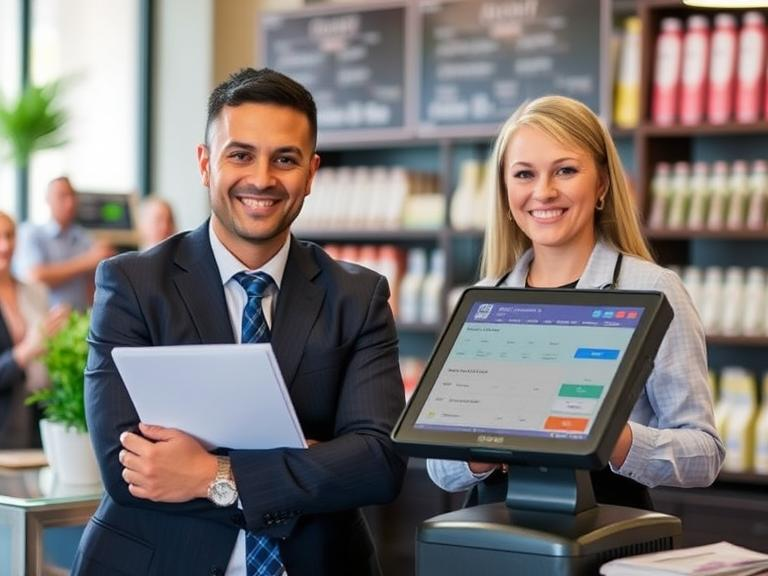
Running a business comes with many costs, but your point-of-sale (POS) system doesn’t have to be one of them. If you’re looking for a POS system with no monthly fees, you have several options. The right system can help you process sales, track inventory, and manage customer relationships without adding to your expenses.
This guide breaks down the best free POS systems available, their features, and how to choose the right one for your business.
What to Look for in a Free POS System
Before choosing a POS system with no monthly fees, it’s important to understand what makes one a good fit for your business. Here are some key factors to consider:
1. Ease of Use
A good POS should be simple to set up and use, even if you have little to no technical experience. Look for software with an intuitive interface that doesn’t require extensive training.
2. Payment Processing Fees
Some “free” POS systems make money https://bartenderpos.com/how-do-you-make-money-from-pos/through transaction fees. Before you choose one, check how much they charge per sale. Lower fees mean more profit for your business.
3. Hardware Compatibility
Make sure the system works with your existing equipment, such as receipt printers, barcode scanners, and cash drawers. Some free systems require you to buy their hardware.
4. Key Features
Even a free POS should include important features like:
- Sales tracking
- Inventory management
- Employee access controls
- Reporting and analytics
- Customer management
5. Business Compatibility
Not all POS systems are built for every type of business. A coffee shop, for example, will have different needs than a clothing store. Find a system that meets the specific demands of your business type.
Best Free POS Systems with No Monthly Fees
1. Square Free POS
Best for: Small businesses, retail, and restaurants
Square offers a free POS with no monthly fees and is one of the most popular choices for small businesses. It works with various devices, including smartphones and tablets, and has a user-friendly interface.
Key Features:
- Free credit card reader included
- Mobile-friendly app for iOS and Android
- Inventory management tools
- Sales reports and analytics
- No long-term contracts
Processing Fees: 2.6% + 10 cents per transaction for in-person sales
Pros:
- No setup or monthly fees
- Works with iPads and smartphones
- Includes free POS hardware
- Integrated payment processing
Cons:
- Transaction fees apply
- Limited offline functionality
- Hardware costs for advanced setups
2. eHopper POS
Best for: Small retail businesses and cafes
eHopper is a cloud-based POS system with a free plan for small businesses. It works on Android tablets and Windows devices, making it a great option for small retailers and coffee shops.
Key Features:
- Free for one register
- Inventory and employee management tools
- Basic reporting and analytics
- Payment processing options
Pros:
- No monthly fees for basic plan
- Works on various devices
- Simple setup
- Free payment processing option available
Cons:
- Limited features on the free plan
- Additional features require paid upgrades
3. Square for Restaurants (Free Plan)
Best for: Small food businesses, cafes, and quick-service restaurants
If you run a restaurant or café, Square for Restaurants provides essential features at no cost. The free version supports in-person and online ordering.
Key Features:
- Free menu and table management
- Online ordering support
- Payment processing with built-in card reader
- Sales tracking and reporting
Pros:
- No monthly fee for basic plan
- Easy to use for restaurants
- Online ordering at no extra cost
Cons:
- Limited customization
- Higher transaction fees for premium features
4. Loyverse POS
Best for: Cafes, small retail stores, and food trucks
Loyalty programs are a big draw for businesses using Loyverse POS. This free software includes essential features to help small businesses manage sales and customers.
Key Features:
- Free loyalty program tools
- Sales and inventory tracking
- Employee management options
- Works on iOS and Android devices
Pros:
- User-friendly interface
- Free customer loyalty program included
- Cloud-based, so you can access data from anywhere
Cons:
- No free built-in payment processing
- Some features require paid add-ons
5. Imonggo POS
Best for: Small retail businesses and solo entrepreneurs
If you need a simple and free POS system, Imonggo’s free plan provides a single-user register with essential features for small businesses.
Key Features:
- Works on web browsers and mobile devices
- Basic inventory tracking
- Free reporting tools
Pros:
- No monthly cost for a single store
- User-friendly interface
- Cloud storage available
Cons:
- Single-user limit on free plan
- Advanced features require paid upgrades
How to Choose the Right Free POS System
1. Consider Your Business Type
Retailers, restaurants, and service providers have different needs. Choose a POS that suits your industry.
2. Compare Payment Processing Fees
Since most free POS systems charge per transaction, pick the one with the lowest fees.
3. Check Compatibility with Existing Hardware
Some POS software works only with specific devices. Make sure the system supports your current setup.
4. Look for Essential Features
Inventory tracking, reporting, and customer management are must-haves for a good POS system.
5. Read User Reviews
See what other business owners say about reliability, ease of use, and customer support before making a choice.
Conclusion
A POS system with no charges can help businesses save money while handling sales efficiently. Options like Square, eHopper, Loyverse, and Imonggo provide strong features at no monthly cost. Choosing the right one depends on business size, industry needs, and transaction fees. With the right setup, businesses can process sales smoothly without unnecessary expenses.
FAQs:
1. What is a free POS machine?
A free POS machine is a point-of-sale system that does not require an upfront purchase or monthly fees. Some providers offer free software but charge transaction fees per sale.
2. Are there any hidden costs with free POS systems?
Some free POS systems charge transaction fees, hardware costs, or additional fees for premium features. Always review the pricing details before choosing one.
3. Which POS machine has no charges at all?
Most free POS systems charge transaction fees, but some, like eHopper’s free plan, offer basic functionality without monthly costs. However, limitations may apply.
4. Can I accept credit card payments with a free POS system?
Yes, most free POS systems allow credit card payments, but they typically charge transaction fees for each sale. Check the rates before signing up.
5. What is the best free POS system for small businesses?
Square Free POS, eHopper, Loyverse, and Imonggo are among the best free POS systems, offering features for small businesses without monthly fees.

